Content management
GreyCMS
The headless CMS this site runs on
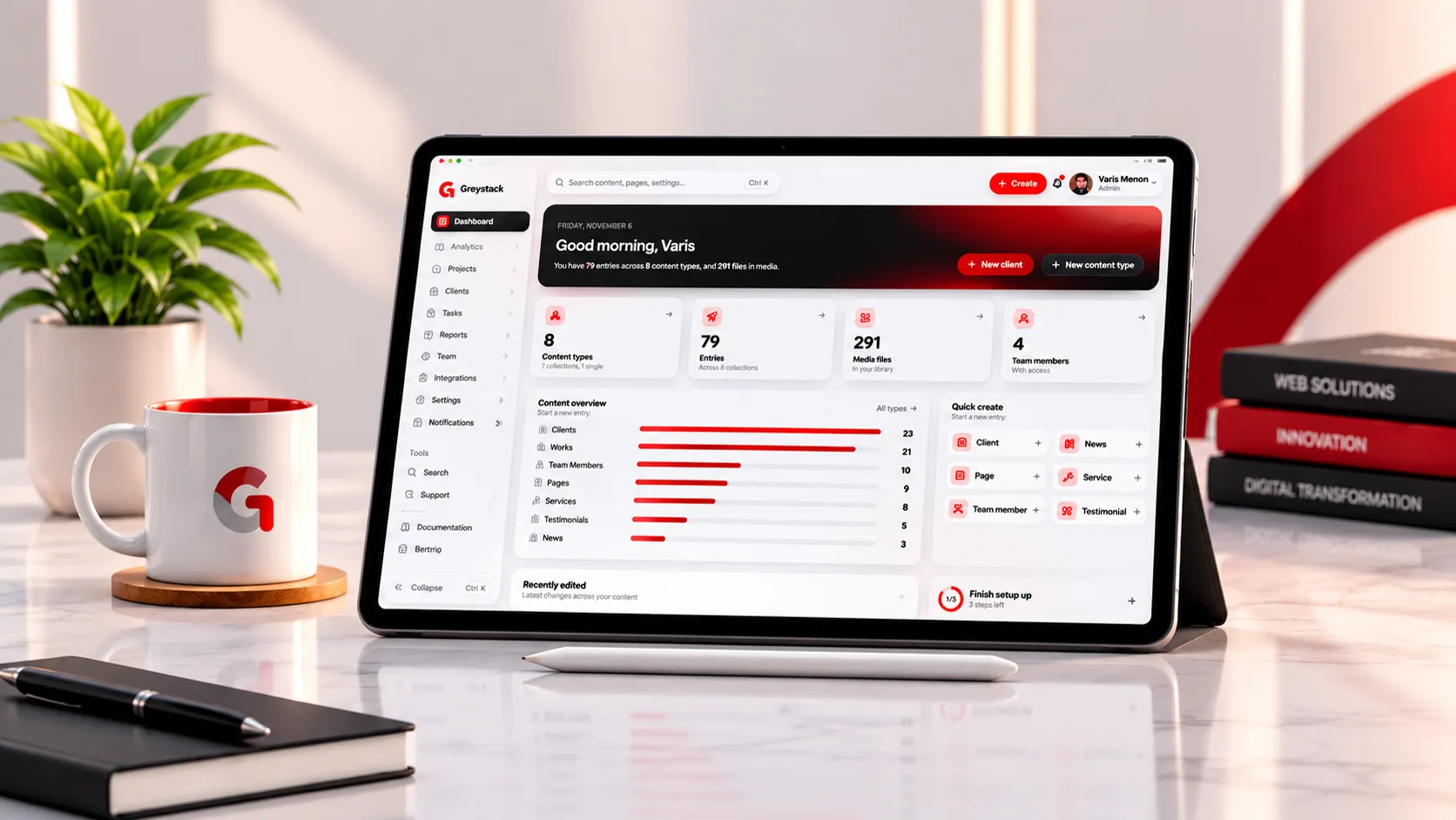
GreyCMS is our own headless CMS. You define the content types in the admin, editors fill them in, and any website or app reads them over a REST API. It also holds the media, forms, webhooks and access for the project.
- Type
- Headless CMS
- Server
- NestJS (Node.js), TypeScript
- Admin
- React, Vite
- Database
- MySQL
- Hosting
- Self-hosted, Docker image included
- API
- REST, JSON
What it is.
Who it is for
- Agencies and studios that build several sites and want one CMS they control
- Teams with a Next.js, React or any other front end that needs an editor-friendly back end
- Businesses that must keep their content on their own servers
- Small teams that want drafts, scheduling and roles without a heavy platform
GreyCMS keeps the content of a website apart from the website itself. The structure (what a project, a page or a post is made of) is built in the admin without code, editors write and publish in the same place, and the front end, in whatever framework, fetches what it needs over a plain REST API.
We built it for our own client work, and this website is its first customer: every project, service, page and logo you see here is an entry in GreyCMS. That is why it has what real sites keep asking for: draft and publish, scheduling, several languages, forms with an inbox, webhooks that rebuild a site when content changes, and a way to move a whole project between environments.
It is a small, self-hosted system: one Node server, one MySQL database and a folder for uploads. There is no per-seat price and no content leaves your own infrastructure.
See it.
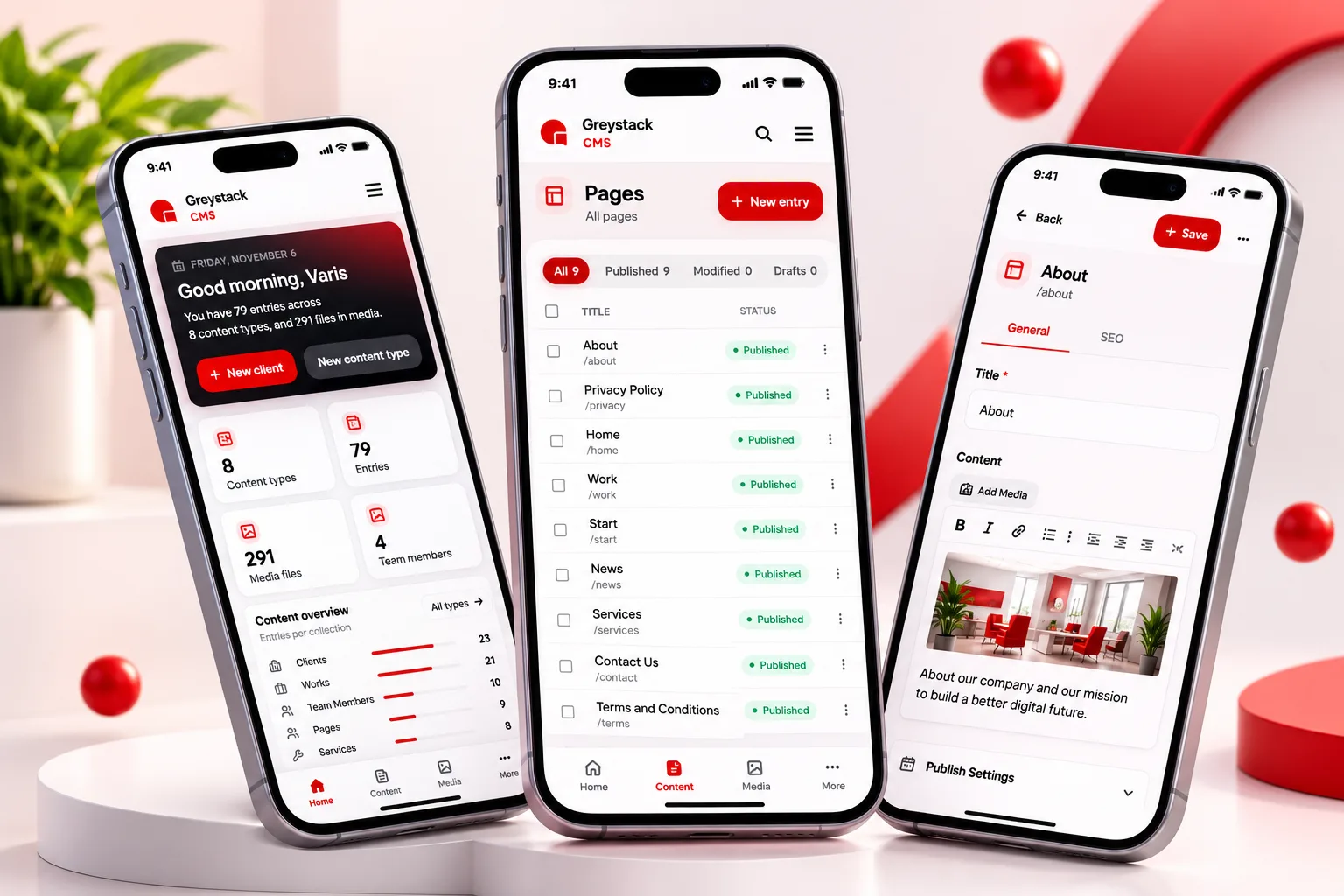
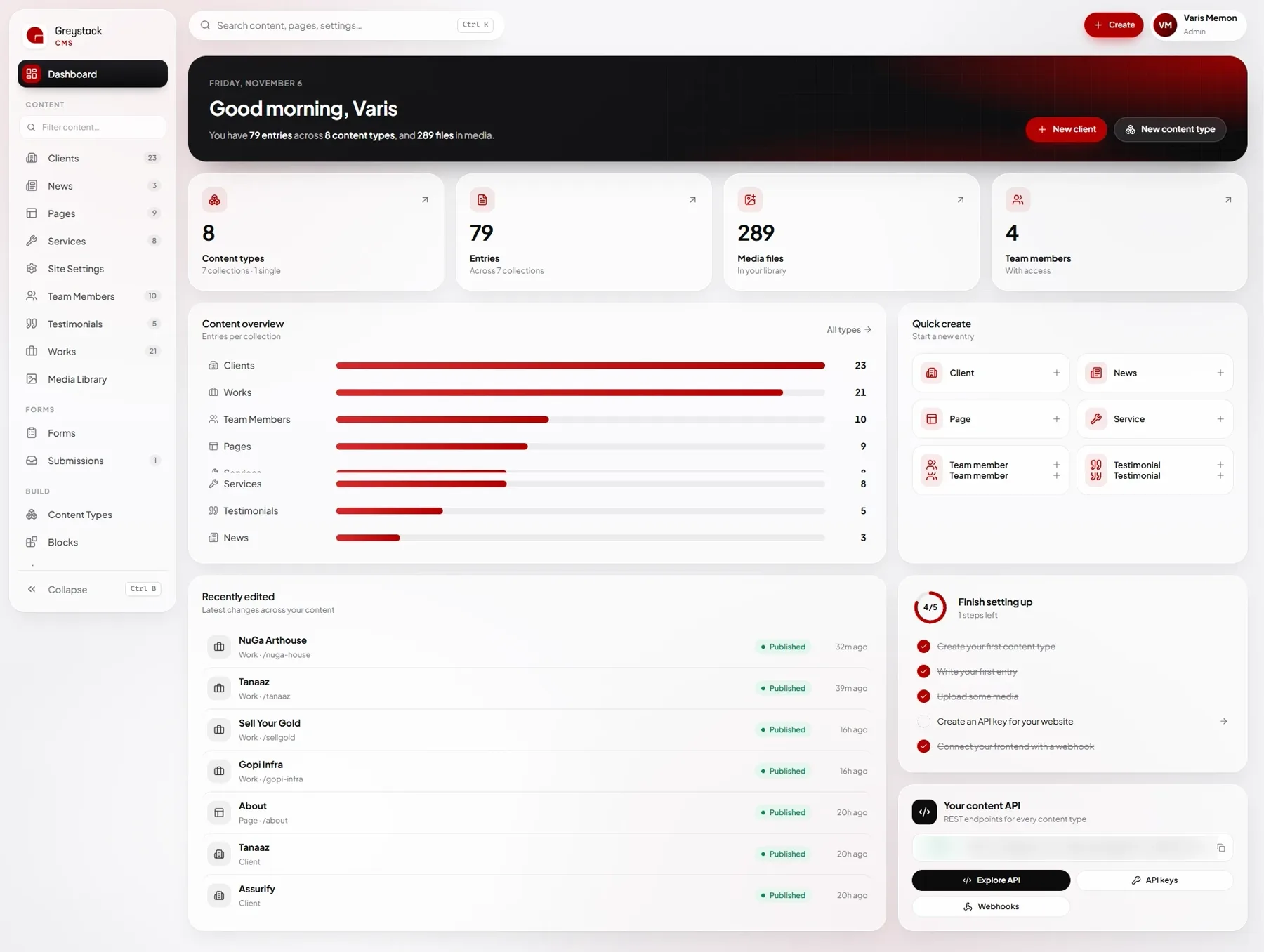
Dashboard 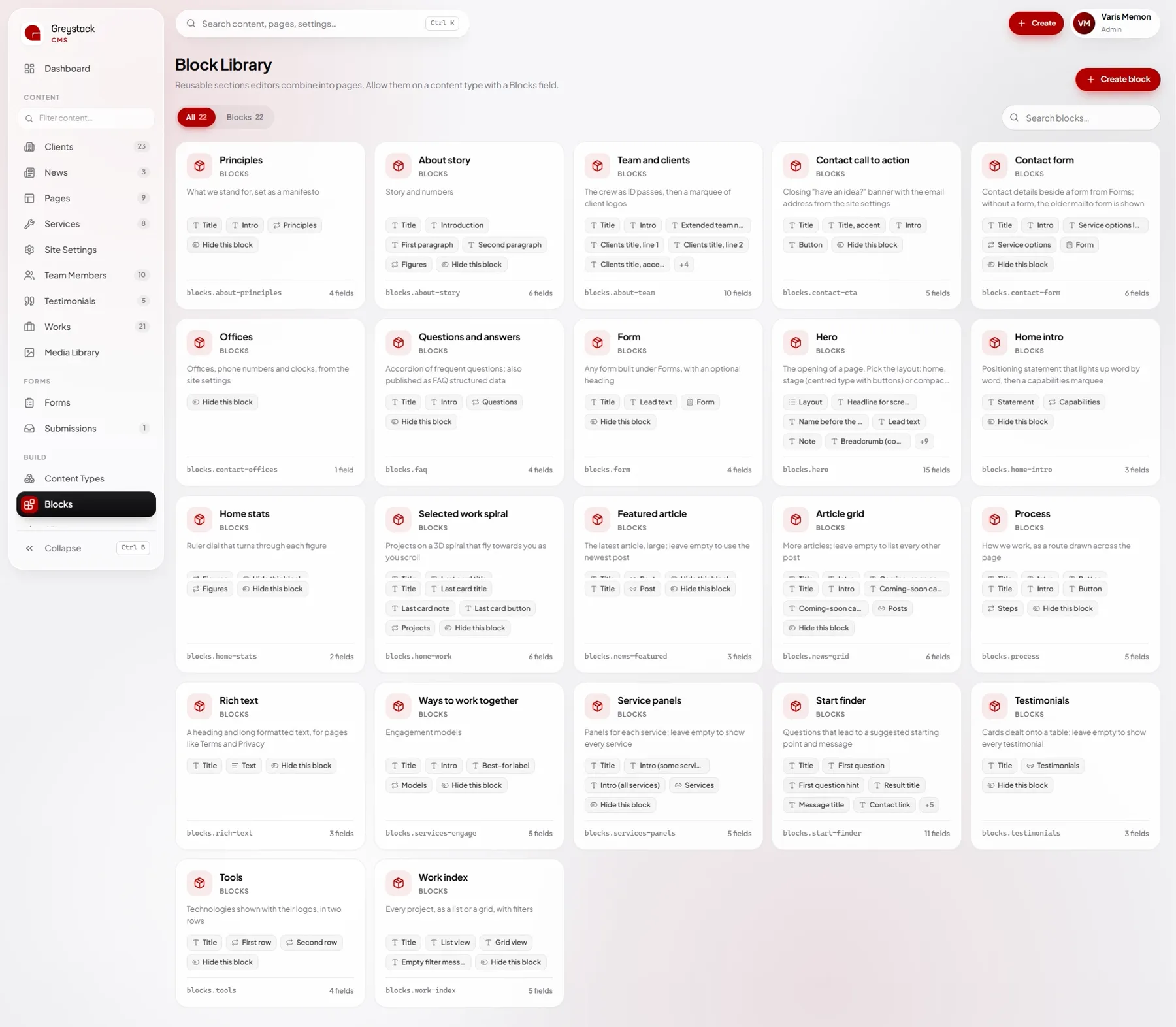
Block library 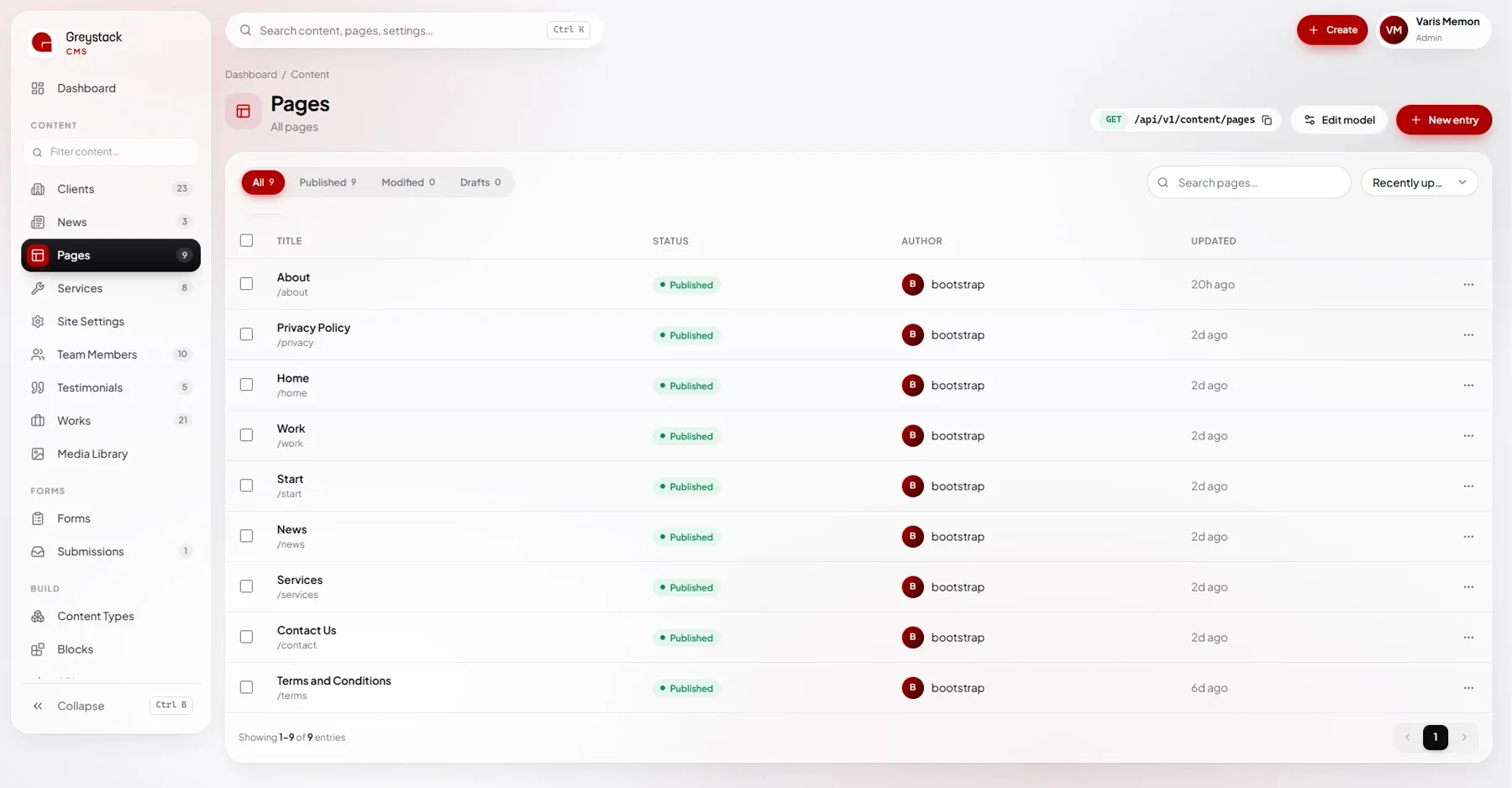
Pages
What it does.
12 things it takes care of
- 01
Content types built in the admin
Define a type with fields (text, rich text, number, yes/no, date, email, slug, media, relation, choice, colour, JSON) and repeatable groups. A type can be a list (projects) or a single (site settings). Changing a type updates the stored entries safely.
- 02
Reusable blocks and components
Build pages from blocks (a hero, a text section, a gallery) that you define once and reuse across types, with a form field to place a form anywhere on a page.
- 03
Draft, publish and schedule
Every entry has a draft and a live copy. Publish it, take it down, or set a time for it to go live and another for it to come down. Earlier versions are kept as revisions.
- 04
Several languages
Mark a type as localized and write each entry in as many languages as you need. Types that are not localized stay single-language.
- 05
Media library
Upload images, PDFs and videos into folders, add alt text, and pick them from any media field. The file type is decided from the bytes of the file, not its name, so a renamed file cannot slip through.
- 06
Forms with an inbox
Build contact and enquiry forms in the admin (text, email, phone, choices, consent and more), embed them on a site, and read the submissions in the admin. A hidden honeypot field and a rate limit keep spam out, and each submission can be emailed to your team.
- 07
Webhooks
Be told when content changes: entry created, updated, published, unpublished or deleted, media added or removed, a form submitted. Each call is signed with a secret and a timestamp so your receiver can check it and reject replays.
- 08
Roles, users and API keys
Give people only what they need: permissions such as read, write, publish and delete can be limited to a single content type. Sign in with a password, a single sign-on provider (OpenID Connect), or an API key for machines.
- 09
A delivery API made for websites
A separate public, read-only API serves published content with filters, sorting, paging and relation population, so a site never needs write access.
- 10
Live preview and API explorer
Editors preview a draft on the real site while they write. Developers can try the API from inside the admin before writing a line of code.
- 11
Move a whole project
One command (or the admin, behind a server key) exports the content types, entries, revisions, media files, forms and webhooks to a single file, optionally encrypted, and imports it into another environment. It checks every file, and a bad file changes nothing.
- 12
Email built in
Invitations, password resets and form notifications go out through your SMTP server or a Google account.
How it works.
Model your content
Create content types and blocks in the builder: say what a project, a page or a post is made of.
Invite your team
Add editors with roles, and give your website an API key that can only read what is published.
Write and publish
Editors fill in entries, upload media, preview on the real site, then publish now or schedule it.
Show it anywhere
Your website or app fetches published content from the delivery API. A webhook tells it when to rebuild.
Move it when you need to
Export the project to a file and import it into staging or live, or keep it as a backup.
Built with
Questions.
What does headless mean?
GreyCMS stores and serves content, and has no website of its own. Your site, built in any framework, asks the API for the content and decides how it looks.
Can we run it ourselves?
Yes. It is a Node server, a MySQL database and a folder for uploads, and it ships with a Docker setup. Content stays on your infrastructure.
Can a project be moved between local, staging and live?
Yes. A command line tool exports the whole project to one file and imports it elsewhere, with checksums and all-or-nothing safety. An optional page in the admin does the same, but it is off unless the server has a transfer key.
Does it support several languages?
Yes, per content type. Localized types hold one entry per language.
How do websites sign in to it?
They do not sign in as a person. A site uses an API key whose role allows reading published content only.
Is there a hosted or paid version?
Not at the moment: it is something we run for our own and our clients' projects.
More products.

Got something to build?
Let’s make it real.
Tell us the goal. You’ll get honest advice and clear next steps within one working day.